Google Lyria 3 Pro
by Google DeepMind
Full-length, structured songs with lyrics and tempo control.
- Output
- Full-length structured songs
- Max length
- Full-length
- Control
- Structure + tempo
- Inputs
- Text prompt · lyrics
- Cost
- Free to start on OnMusic AI
What is Google Lyria 3 Pro?
Google Lyria 3 Pro is an AI music model from Google DeepMind that creates full-length music with structure, lyrics, clear vocals, and tempo control. Its standout strength is turning one idea into a more complete, song-shaped result instead of only a short musical sketch. You can try it on OnMusic AI's AI music generator without setting up a separate model account.
Learn more
Your guide to Google Lyria 3 Pro
See where Lyria 3 Pro fits best, what it creates well, and where its limits matter before you start.
Structured songs with clear vocals and tempo control
What is Google Lyria 3 Pro in practice? It is a Google DeepMind music AI model built to create full-length music with clear vocals, lyrics, structure, and tempo control from a single idea. Its defining strength is song coherence. Instead of giving you a short sketch that needs heavy fixing, Lyria 3 Pro is known for outputs that feel arranged on purpose, with verses, choruses, and pacing that hold together from start to finish. That matters when you want music that sounds like a complete piece, not just a loop with a voice on top. The model is especially useful when your prompt already hints at form, such as upbeat birthday pop with a female vocal and a singalong chorus, or moody rap with a slower tempo and reflective verses. Google Lyria often stands out when the goal is polished song structure rather than raw experimentation. If you want one place to browse available models before you choose, OnMusic AI also keeps a central models catalog so you can compare options without opening separate accounts.
Using prompts and lyrics to guide the output
Google lyria AI music works best when your prompt gives the model three things: style, mood, and song role. Start with a plain request such as warm acoustic pop for a birthday, medium tempo, bright female vocal, catchy chorus, then add any lyrics you want sung. That gives Lyria Pro enough direction to shape melody, pacing, and emotional tone without overloading it with vague adjectives. If you already wrote lines, keep them organized by verse and chorus so the model can map structure more cleanly. If you have no words yet, draft a short concept first, then refine it with OnMusic AI's AI song generator before sending it into music creation. Practical prompts usually beat poetic prompt writing. Name the genre, tempo feel, vocal style, point of view, and key instruments. Avoid asking for five genres at once or switching mood halfway through the prompt. OnMusic AI lets you run Google Lyria 3 Pro in the same place you create text to music, so you can test one idea, revise the wording, and make another version quickly.

How Google Lyria 3 Pro compares with other music models
Lyria 3 pro vs Suno is mainly a choice between workflow preference and the kind of music result you want first. Pick Google Lyria 3 Pro when you want structured songs with clear vocals and direct tempo control as a core part of the prompt. Pick Suno when you want a widely recognized consumer song workflow with a lot of community familiarity and fast style testing. Pick ElevenLabs Music V2 when your priority is exploring another strong music model with its own vocal and composition character, especially if you want to compare how the same prompt lands across systems. OnMusic AI makes that comparison easier because you can switch models in one place instead of building a new setup for each tool. If you want a focused side by side, the Lyria vs OnMusic comparison is the right next read. If you want the broader picture first, start from the OnMusic AI home page and then compare output style, vocal feel, and prompt response with your own lyrics. The best model for you is the one that matches your goal.
The song styles and formats this model handles best
Lyria 3 pro review coverage and user interest usually focus on one practical point: this model is best for complete music that needs a clear beginning, middle, and chorus payoff. It fits pop songs, melodic rap, indie-style vocals, lo-fi songs with toplines, and upbeat social-ready music where structure matters more than pure sound design flexing. A good example is a personalized birthday song with named details in the verses and a hook that repeats the person’s name. Another strong fit is a rap song from your own lyrics, where the prompt sets tempo and mood while the output keeps the writing anchored inside a recognizable form. Lyria Pro is also a solid choice for creator music that needs clean vocals and a finished feel without opening a DAW. It is less about stem-level production control and more about getting complete music quickly. If you want to test a newer sibling option after that, compare results with Google Lyria 3.5 using the same prompt and judge which version fits your genre better.
Free access, pricing reality, and current limits
Free lyria AI music is available to start on OnMusic AI, which means you can try the model through OnMusic AI’s AI music generator without setting up a separate account for every music system you want to test. That is the simple answer to the common free-use question. OnMusic AI presents access clearly, not as unlimited magic, which is the honest way to talk about AI music tools. Google Lyria 3 Pro creates full-length music with structure, lyrics, clear vocals, and tempo control, but you should still expect to refine prompts to get the exact style, phrasing, or emotional tone you want. It is not a replacement for every production task. For example, if your goal is deep multitrack editing after creation, you may still want separate tools such as a vocal remover or stem splitter depending on what you need next. The strength here is fast access to complete music. If your question is whether you need advanced studio knowledge first, the answer is no. You can start from a short prompt, listen, edit the wording, and create another version.
How good the music quality feels in real use
Google DeepMind music AI gets attention because the output quality aims at complete songs, not just fragments, and Google Lyria 3 Pro generally earns praise for that same reason. The realistic quality read is straightforward: the model is strong when you want music with clear vocal presence, stable structure, and a promptable sense of tempo. It is not perfect at every niche style, and it will not replace expert human production choices in every case, but it can deliver convincing music for everyday creators who want something personal and finished. The biggest quality wins usually come from prompts that define genre and vocal role clearly. The weaker results tend to come from overloaded prompts that ask for too many style jumps at once. Think of the output as strong enough for sharing, demoing an idea, or making a personal song without studio gear. If you care most about whether the result sounds complete, that is where Google Lyria Pro is strongest. If your goal is simply to browse model options before deciding, OnMusic AI also offers access across its music lineup in one place.

Prompting tips that improve results fast
Lyria full length control is easiest to use well when your prompt reads like a short production brief instead of a pile of adjectives. Put the genre first, then tempo feel, then vocal type, then emotional goal, then any lyrics. A strong prompt looks like this: upbeat synth-pop music, 120 BPM feel, clear female vocal, joyful birthday theme, verses about friendship, big repeating chorus. That gives the model enough structure to shape a full piece of music with fewer surprises. Add lyrics in labeled sections if you want more stable arrangement cues. Keep wording concrete. Say mellow lo-fi with soft piano and airy vocal, not make it amazing and emotional and different and cinematic. Avoid conflicting instructions such as slow club banger or acoustic trap ballad with opera rap unless you are deliberately testing extremes. Review each output for one thing at a time: vocal fit, chorus strength, or pacing. Then revise only that part of the prompt. If you want extra help writing the words first, use OnMusic AI’s AI lyrics generator before you run the next version.

Features
Google Lyria 3 Pro capabilities that matter when choosing a music model
Google Lyria 3 Pro stands out for full-length music, clear vocals, song structure, lyrics, and tempo control. This section shows where Lyria 3 Pro is strongest, so you can judge if it fits your style and workflow.
Full-length song structure
Google Lyria 3 Pro creates full-length songs instead of stopping at a short idea loop. That matters when you want a complete piece of music with a real beginning, build, chorus, and ending. Lyria 3 Pro is a better fit for birthday songs, demo ideas, and personal music you want to play all the way through.
Clear vocals with written lyrics
Google Lyria 3 Pro supports full songs with clear vocals and lyrics. That gives your music a more finished feel when you want a singer, not only an instrumental backing. Google Lyria works well for prompts that already include a hook, verse idea, or short lyric draft you want turned into music.
Tempo control for structured music
Google Lyria 3 Pro includes tempo control, which helps shape how fast or steady the music feels. That matters when you want upbeat pop, tighter rap phrasing, or a slower emotional song without leaving the same creation flow. Google Lyria Pro stands out here because tempo is part of making the whole song feel intentional, not random.
Google DeepMind music AI for polished song output
Google Lyria 3 Pro is a Google DeepMind music AI model built for structured song creation. That matters because the focus is not only on sound quality, but also on how the music, lyrics, and vocals work together across a full piece. Lyria Pro is strongest when you want music that feels composed, not just assembled from separate parts.
Lyrics-to-music flow
Google Lyria 3 Pro is built for songs with lyrics, which makes it useful when your idea starts with words first. You can begin from a mood, a chorus concept, or your own written lines and shape them into finished music with vocals. That is especially helpful for personal music where the message matters as much as the beat.
Free Lyria AI music on OnMusic AI
Google Lyria 3 Pro is available as free Lyria AI music on OnMusic AI, so you can try the model without setting up a separate account for every tool. That matters if you want to test one prompt, hear the result, and compare it with other music models in one place. OnMusic AI keeps the focus on making music fast, then refining the result if you want another version.
All models
Every AI music model, one place
Hear a sample, then switch between the latest models and compare results — free to start on OnMusic AI.
Suno v5.5
by Suno
Full songs with natural, expressive vocals from a single prompt.
Udio v4
by Udio
48kHz stereo songs up to 10 minutes with licensed, studio-clear sound.
ElevenLabs Music v2
by ElevenLabs
Licensed, commercial-ready songs with lifelike multilingual vocals.
Google Lyria 3 Pro
by Google DeepMind
Full-length, structured songs with lyrics and tempo control.
MiniMax Music 2.6
by MiniMax
Its strongest vocals yet, with an AI cover mode and auto lyrics.
Stable Audio 3.0
by Stability AI
Instrumental tracks and sound design up to 6 minutes, royalty-free.
Stable Audio 2.5
by Stability AI
Fast, high-quality instrumental tracks up to 3 minutes, royalty-free.
Who makes music with Google Lyria 3 Pro
Everyday creators use Google Lyria 3 Pro to turn lyrics, moods, and beat ideas into personal music they can share, save, or keep just for fun.
Google Lyria 3 Pro for people turning lyrics into a real song
Google Lyria 3 Pro fits people who already wrote lines in a notes app, journal, or birthday card and want to hear those words as finished music with clear vocals. OnMusic AI gives them one place to paste lyrics, shape the mood, and create a full song without learning recording software first.

People testing lyria full length control for structured songs
lyria full length control helps hobby creators who want more than a short loop and need music that feels like a complete song with sections, pacing, and direction. Lyria 3 Pro works well for users making a first dance idea, a rap draft with verses and chorus, or a pop demo that needs tempo control from the start.

Google Lyria fans making personal music for friends and social posts
Google Lyria appeals to people who do not want stock background music and would rather create something personal for a birthday, inside joke, recap post, or small podcast intro. Google Lyria Pro is a strong fit when the goal is simple: type the vibe, pick a style, and leave with music that sounds made for that moment.
Made for everyday creators everywhere everyday creators
People use OnMusic AI to create music, write lyrics, and make full songs without studio tools.
How to create with Google Lyria 3 Pro
Follow these three steps to go from a simple idea to finished music, using Google Lyria 3 Pro inside OnMusic AI's AI music generator.
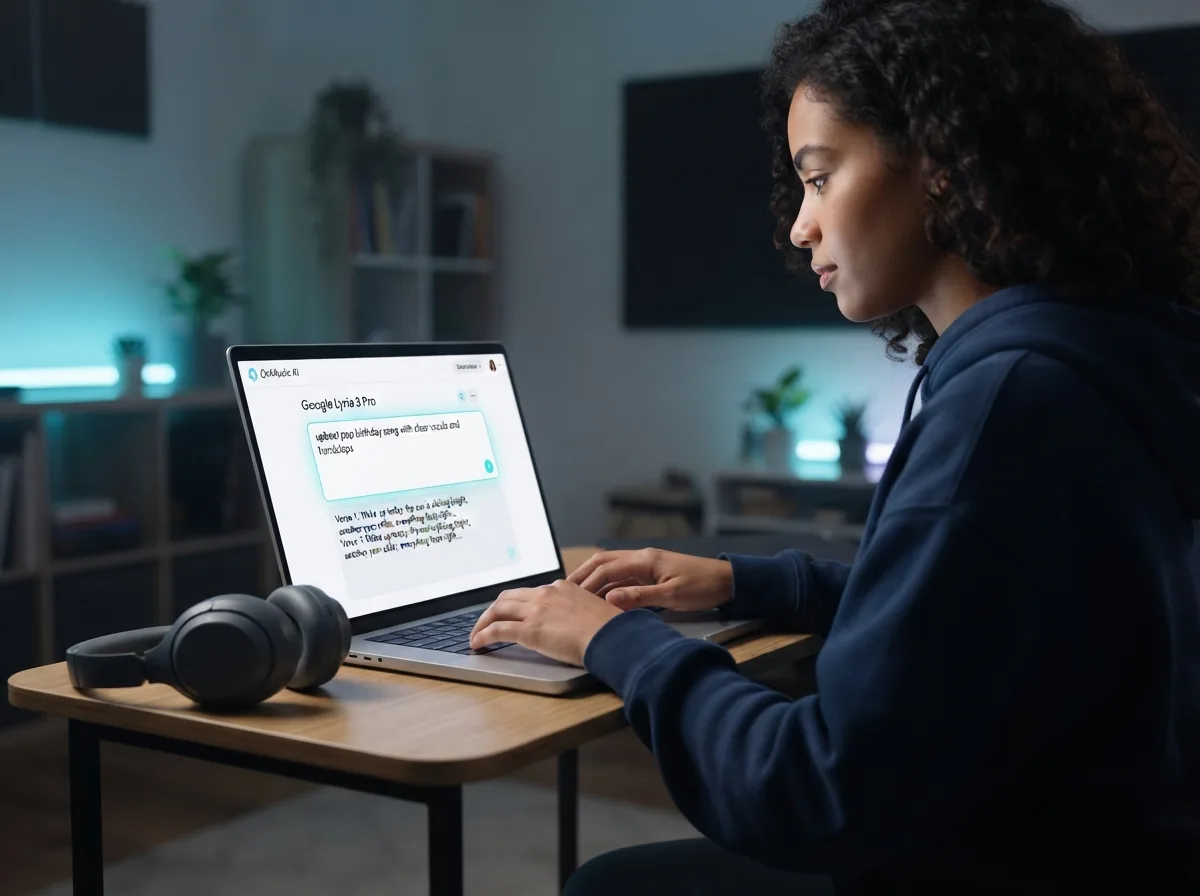
Open Google Lyria 3 Pro and enter your prompt
Choose Google Lyria 3 Pro in OnMusic AI, then type the music idea you want to hear. You can describe the mood, genre, tempo, vocals, and any lyrics you want the song to include.
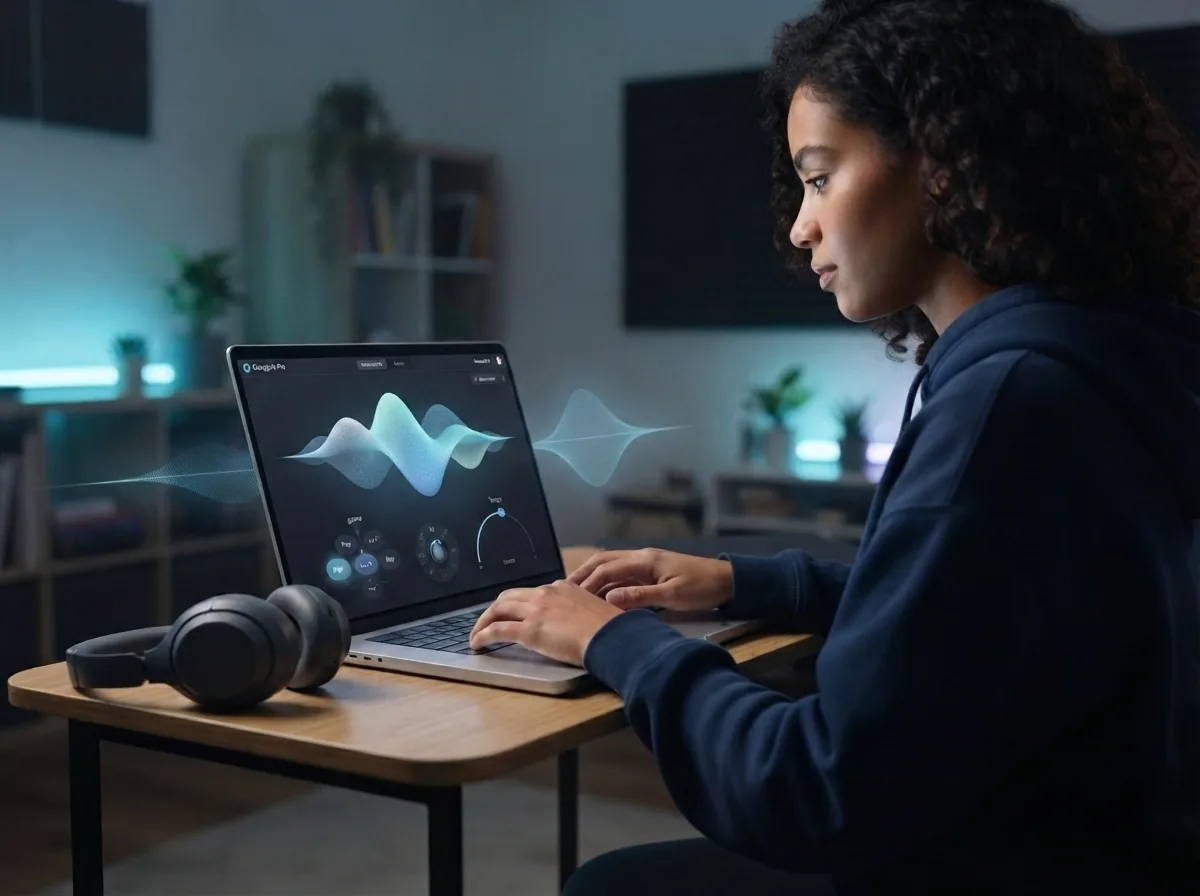
Set the style and shape your music
Refine your input before you run the model. Add details such as song structure, vocal feel, and tempo so Lyria 3 Pro has clear direction for the music it will create.
Create the song and download the result
Run the model and listen to the finished music in OnMusic AI. If you like the version, download your song and share it, or go back and tweak the prompt for another take.
Create full-length music with clear vocals and control
You can test Lyria 3 Pro for structured music, lyrics, and tempo control in one place on OnMusic AI.
Frequently asked questions
What does Google Lyria 3 Pro do?
Who makes Google Lyria 3 Pro?
How does Google Lyria 3 Pro turn a prompt into music?
Is Google Lyria 3 Pro free to use on OnMusic AI?
How good is Google Lyria 3 Pro for everyday music creation?
What is the maximum song length in Google Lyria 3 Pro?
Does Google Lyria 3 Pro create vocals or only instrumentals?
Can Google Lyria 3 Pro use a text prompt, custom lyrics, or both?
How do I use Google Lyria 3 Pro on OnMusic AI?
What is Google Lyria AI music best for?
What are the limits of Google DeepMind music AI in Google Lyria 3 Pro?
How fast is Google Lyria 3 Pro when creating music?
Can OnMusic AI users download music made with Google Lyria 3 Pro, and can they use it commercially?
Why does Google Lyria 3 Pro sometimes create music that feels too generic?
What is a good to try?
Ready to create with this music model? Make a full song you can keep or share
Create music with Google Lyria 3 Pro on OnMusic AI, then try other models in the same place.