Stable Audio 3.0
by Stability AI
Instrumental tracks and sound design up to 6 minutes, royalty-free.
- Output
- Instrumental + sound design
- Vocals
- Instrumental (no vocals)
- Max length
- Up to 6 minutes
- Licensing
- Royalty-free output
- Cost
- Free to start on OnMusic AI
What is Stable Audio 3.0, and why do people use it?
Stable Audio 3.0 is an AI music model from Stability AI that creates instrumental music and sound design from prompts. Its defining strength is long-form, royalty-free audio with no vocals, including pieces up to 6 minutes. You can run it inside OnMusic AI's free AI music generator when you want to test ideas without setting up a separate model workflow.
Learn more
Your guide to Stable Audio 3
See where Stable Audio 3 works best for instrumentals, sound design, and longer music, and where its limits matter before you start.
Known for long-form instrumental music
What is Stable Audio 3.0 in practice? It is Stability AI’s model for creating instrumental music and sound design from text prompts, with output that can run up to 6 minutes and stays focused on music without vocals. That matters because many people do not want to stitch together short loops just to hear a full piece develop. Stable Audio 3 is strongest when you want a complete musical idea with a clear mood, pacing, and arrangement, such as a calm lo-fi bed, a tense cinematic build, or a clean electronic groove. It is also useful when your goal is non-vocal audio for videos, podcasts, prototypes, and background listening. OnMusic AI gives you a simple way to test that range inside one music generator instead of setting up a separate workflow for each model. The model’s real identity is not an AI singer or lyric writer. Its identity is instrumental composition and sound design, with royalty-free output that is built for practical use after prompting.
Prompting Stable Audio 3 for better first passes
A Stable Audio instrumental generator works best when your prompt names the mood, genre, tempo feel, and instrumentation in one clear sentence. Start with a concrete input such as “warm lo-fi beat, dusty drums, mellow keys, late-night mood” or “cinematic tension, pulsing bass, metallic hits, rising atmosphere.” Stable Audio 3 responds better to descriptive language than to vague requests like “make something cool.” Keep the prompt centered on music, because this model is designed for instrumental output rather than sung hooks or lyric delivery. If you are using OnMusic AI, you can run the model without juggling separate accounts, then compare the result with other tools in the models catalog if your first pass misses the mood. People moving from a text to music workflow should think like a producer giving a short creative brief. Name the scene, the energy, and the core sounds. Add structure words like intro, build, drop, or outro only when they help, because overloading the prompt can make the music less focused instead of more precise.

Stable Audio 3 against nearby options
Stable Audio 3 vs 2.5 is mostly a question of model generation and where you want to start, not a simple winner for every job. Choose Stable Audio 3 when you want newer instrumental and sound design output with room to build longer-form music inside one prompt. Choose the Stable Audio 2.5 page when you want to review the earlier model before deciding which Stability AI release fits your workflow. If your priority is flexible experimentation with openly available model directions, the Stable Audio Open page is the better place to compare that route. If your priority is a broad everyday app experience instead of model-by-model analysis, the Stable Audio vs OnMusic comparison explains when a platform view is easier than choosing a single engine first. The honest split is simple. Stable Audio 3 fits instrumental music and design-oriented audio. Another model may fit better if you need vocals, lyric-led output, or a very different workflow. The best choice depends on the output type first, then on access, prompt control, and whether you want one AI music generator that keeps several options in one place.

Where the music style range fits best
A Stable Audio 3 review usually lands on the same core point: the model is best for instrumental music and sound design, especially when you want mood-first output instead of vocal performance. In real use, that means it fits ambient beds, electronic sketches, cinematic tension cues, relaxed study music, synth textures, game-like atmosphere, and background pieces for content. It can also create more design-heavy audio, such as pulses, drones, impacts, and layered motion that support intros or transitions. What it does not target is lyric-driven pop songwriting. If your idea begins with words and melody, use the text to music tool or another vocal-capable route first. If your idea begins with scene, energy, and timbre, Stable Audio 3 is a better match. OnMusic AI’s AI instrumental generator is useful here because you can stay focused on non-vocal output instead of forcing a singer-shaped result from the wrong model. Good prompts often name both style and purpose, such as “minimal techno background for a fashion reel” or “soft piano ambient music for a sleep podcast intro.”

Free access, rights, and real limits
People searching free Stable Audio music can try the model on OnMusic AI without paying to get a first feel for its sound and workflow. The practical benefit is simple: you can test prompts, compare outputs, and decide whether the model fits your project before committing to a deeper production path. Stable Audio 3’s verified limits are just as important as its strengths. It creates instrumental music and sound design, not vocals. Its maximum output length is up to 6 minutes, which is long enough for many background, prototype, and content uses but still a real boundary for extended pieces. The output is royalty-free, which gives users a clear reason to consider it for usable music rather than only for demos. Free access does not mean unlimited capability, and honest expectations matter. If you need sung lyrics, you need a different model path. If you need clean instrumental output for a reel, stream, or mood piece, this model fits that job well. The homepage is also useful if you want to see OnMusic AI’s wider product range before choosing a model.
Stable Audio 3 quality in real use
As a sound-design generator, Stable Audio 3 delivers its best quality when the goal is texture, atmosphere, rhythm, and instrumental cohesion rather than a radio-style vocal song. That is the right way to judge it. Its output is often most convincing in ambient, cinematic, electronic, and background-focused music where tone and pacing matter more than lyrical storytelling. Search results and reviews consistently frame it as a capable option for polished instrumental work, especially when prompts are specific and realistic. The quality drop usually comes from mismatched expectations, not from the wrong button. If you ask for a sung anthem, the result will miss because vocals are outside the model’s scope. If you ask for evolving pads, pulsing tension, or a relaxed beat bed, the model aligns with the request much better. OnMusic AI makes that quality easier to evaluate because you can run a prompt, listen, adjust, and compare in one place. Think of Stable Audio 3 as a music generator for usable instrumental ideas, not a universal answer for every kind of song production.
Better prompts, cleaner results
Open weight AI music is part of the wider model conversation, but the best results with Stable Audio 3 still come from disciplined prompting rather than from chasing labels alone. Write prompts that answer five things: genre, mood, key instruments, energy curve, and use case. A strong example is “dreamy ambient music, soft synth pads, slow pulse, gentle lift in the middle, background for a meditation app.” A weaker prompt is “epic song with everything,” because it gives the model no clear center. Put the most important descriptors first. Keep the instrument list short. Choose adjectives that describe sound, not vague excitement. Avoid requesting vocals, named artists, or too many scene changes in one go. If the first result feels crowded, remove extra details and run it again. If it feels flat, add one or two timbre cues such as analog synth, brushed drums, glassy keys, or sub-bass pulse. OnMusic AI helps with this refinement loop because you can test one prompt variation after another instead of rebuilding your workflow each time. Small prompt edits usually improve the music more than big rewrites.
Features
Inside Stable Audio 3, the capabilities that matter
Stable Audio 3 focuses on long-form instrumental music, sound design, and royalty-free output. These capabilities show where this AI music generator fits best, especially if you want polished audio without vocals.
Stable Audio 3 creates up to 6 minutes of instrumental music
Stable Audio 3 creates instrumental music and sound design with outputs up to 6 minutes long. That longer runtime gives you room for full intros, builds, drops, and endings in one piece. It matters when you want background music for videos, podcasts, or studying without stitching short loops together. OnMusic AI makes that music generator workflow simple to try from one prompt.
Stable Audio 3 stays instrumental for clean music beds
Stable Audio 3 is built for instrumental output, so it does not create vocals or sung lyrics. That makes the music easier to place under dialogue, voiceovers, streams, and short films without a voice fighting for space. It matters when you need a focused backing piece instead of a full AI song generator result. You get cleaner music for editing and repeat listening.
Stable Audio 3 works for sound design and texture
Stable Audio 3 handles both instrumental music and sound design, not just basic genre prompts. That means you can create ambient textures, cinematic tension, synthetic pulses, and experimental audio alongside more traditional music cues. It matters when a plain beat is not enough and you need mood-specific detail. This makes it useful for creators who want more than simple text to music output.
Stable Audio 3 gives you royalty-free output
Stable Audio 3 provides royalty-free output, which makes the finished music easier to use in creative projects. That matters if you are making content for social posts, podcasts, demos, or background scoring and want fewer licensing headaches. The value is practical, because you can focus on the music itself instead of chasing session files or stock-library terms. OnMusic AI lets you test that workflow without a separate model account.
Stable Audio 3 fits open weight AI music research
Stable Audio 3 sits in the open weight AI music conversation because people often look for flexible ways to run and compare music models. That matters if you follow model releases closely and want to understand where Stability AI's approach fits. OnMusic AI helps by giving you one place to try the model and compare outputs with other music tools. You spend less time managing setup and more time creating music.
Stable Audio 3 lets you try free Stable Audio music creation
Stable Audio 3 is available for free Stable Audio music creation on OnMusic AI, so you can test prompts before committing to a bigger project. That matters for hobby use, quick idea checks, and side-by-side genre experiments. You can hear how the model handles mood, pacing, and arrangement without paying just to explore. It is a practical way to learn what kind of music generator output fits your use case.
All models
Every AI music model, one place
Hear a sample, then switch between the latest models and compare results — free to start on OnMusic AI.
Suno v5.5
by Suno
Full songs with natural, expressive vocals from a single prompt.
Udio v4
by Udio
48kHz stereo songs up to 10 minutes with licensed, studio-clear sound.
ElevenLabs Music v2
by ElevenLabs
Licensed, commercial-ready songs with lifelike multilingual vocals.
Google Lyria 3 Pro
by Google DeepMind
Full-length, structured songs with lyrics and tempo control.
MiniMax Music 2.6
by MiniMax
Its strongest vocals yet, with an AI cover mode and auto lyrics.
Stable Audio 3.0
by Stability AI
Instrumental tracks and sound design up to 6 minutes, royalty-free.
Stable Audio 2.5
by Stability AI
Fast, high-quality instrumental tracks up to 3 minutes, royalty-free.
Who uses Stable Audio 3 and what they make
Sound designers, producers, and curious creators use this AI music generator to create royalty-free instrumentals, ambient beds, beat ideas, and cinematic audio up to 6 minutes long.

Editors scoring videos with Stable Audio 3
Stable Audio 3 helps video editors create instrumental background music and transitions that fit a scene without writing a note by hand. It works well when you need music for travel recaps, product demos, YouTube intros, or short films that need royalty-free audio up to 6 minutes.
Sound designers using an AI sound design generator
An AI sound design generator is useful when you need texture, motion, tension, or atmosphere instead of a full vocal song. Stable Audio 3 is built for instrumental music and sound design, so podcasters, game tinkerers, and trailer makers can create drones, pulses, and cinematic audio from text to music prompts.

Makers testing beat ideas before full production
Stable Audio 3 gives beat makers and hobby producers a fast way to sketch instrumental ideas before they open a larger setup. It fits people trying out genre directions, tempo moods, or soundtrack concepts who want an AI music generator they can try at no cost on OnMusic AI.
Trusted by music makers every day music makers
People use OnMusic AI to create personal music, try new styles, and share ideas fast.
How to create with Stable Audio 3
You end up with royalty-free instrumental music after three simple steps inside OnMusic AI's free AI music generator, using Stable Audio 3 for text-prompted creation and download.
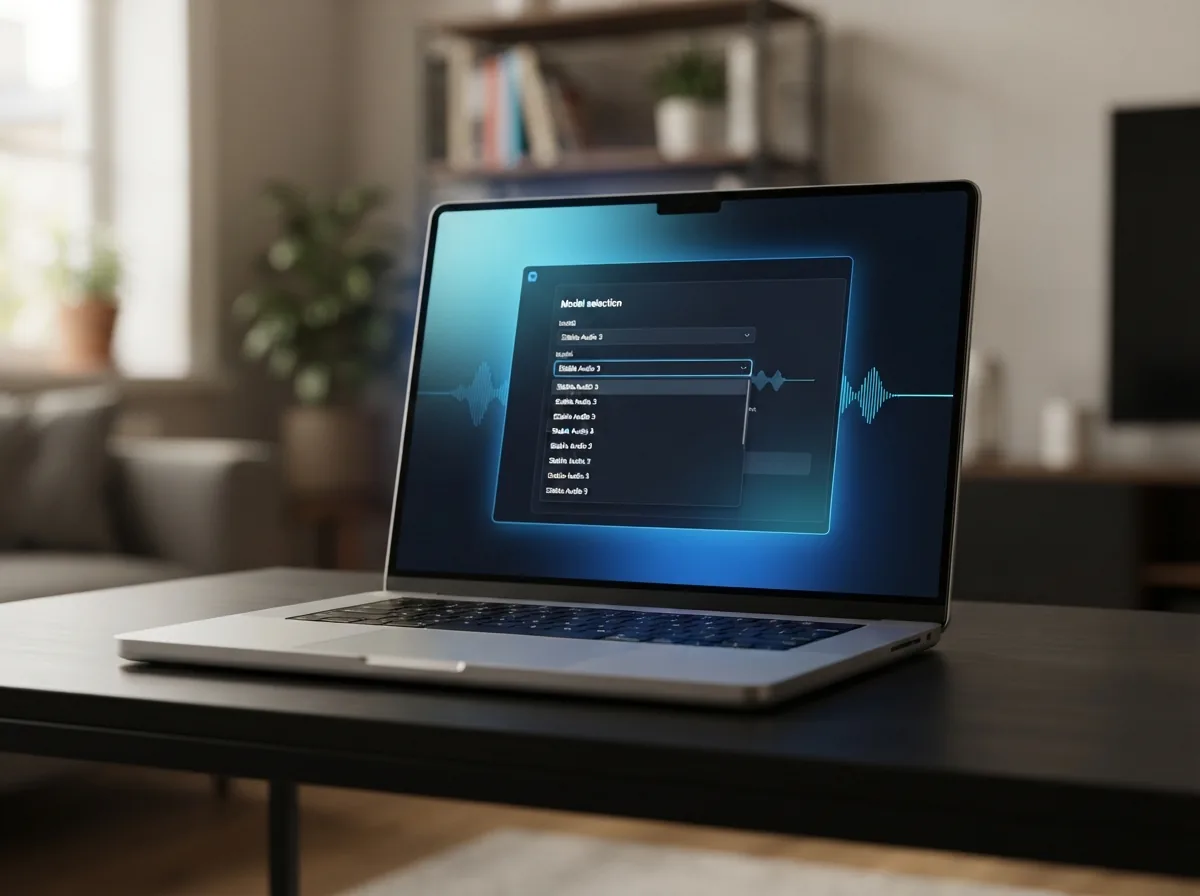
Open Stable Audio 3 in OnMusic AI
Choose Stable Audio 3 from the model list on OnMusic AI before you start your music prompt. This sets your session to an instrumental model made for music and sound design, not vocals.
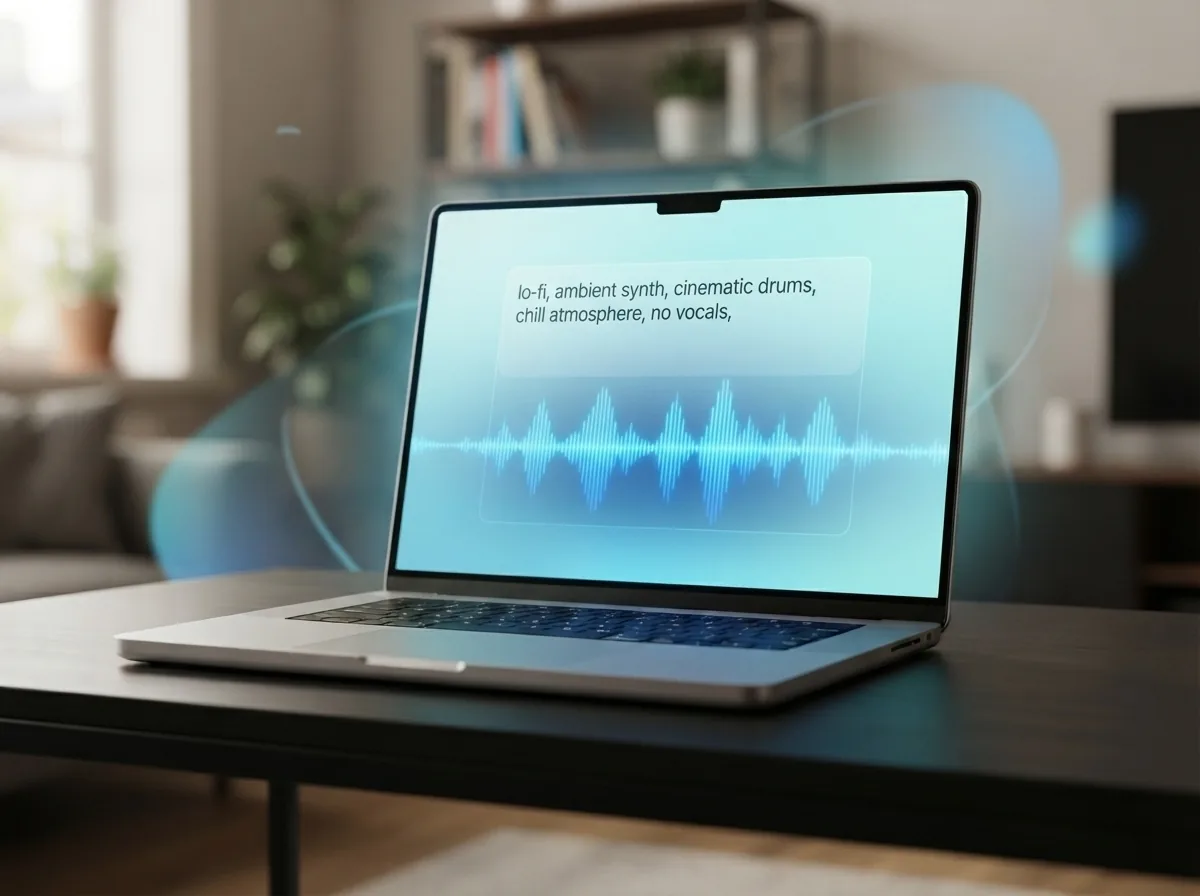
Write a text prompt for instrumental music
Describe the mood, genre, tempo, and instruments you want, such as lo-fi piano, ambient synth, or cinematic drums. Keep the prompt focused on instrumental music because Stable Audio 3 creates music and sound design without vocals.
Create and download your finished music
Run the prompt, preview the result, and download the finished audio when it matches your idea. If you want a different feel, adjust the prompt and create another version before saving your music.
Create instrumental music with one prompt
Use Stable Audio 3 on OnMusic AI to create royalty-free instrumental music and sound design, then try new styles without setting up separate model accounts.
Frequently asked questions
What does Stable Audio 3 do?
Who makes Stable Audio 3?
How does Stable Audio 3 work?
Is Stable Audio free?
Is Stability AI free to use?
What is Stable Audio 3.0?
Can Stable Audio 3 create songs with vocals or lyrics?
What is the maximum music length in Stable Audio 3?
Which AI can create sounds?
Is Stable Audio 3 a Stable Audio instrumental generator?
How do I use Stable Audio 3 on OnMusic AI?
What is a fair Stable Audio 3 review for everyday creators?
Can Stable Audio 3 work as an AI sound design generator?
Is Stable Audio 3.0 worth trying?
Can I download Stable Audio 3 output and use it commercially?
Why does Stable Audio 3 sometimes miss my prompt?
Ready to create instrumental music? Make something you can keep and share
Create instrumental music with Stable Audio 3 on OnMusic AI, then switch models in the same place and keep exploring.