MiniMax Music 2.6
by MiniMax
Its strongest vocals yet, with an AI cover mode and auto lyrics.
- Output
- Songs with strong vocals
- Vocals
- Its best vocals yet
- Extras
- AI cover mode · auto lyrics
- Inputs
- Text prompt · lyrics
- Cost
- Free to start on OnMusic AI
What is Minimax Music 2.6?
Minimax Music 2.6 is an AI music model from MiniMax that creates full songs with strong vocals, AI cover mode, and automatic lyric writing. Its clearest strength is vocal quality, which helps sung results feel more complete from a single idea. You can use it inside OnMusic AI's free AI music generator without setting up a separate model account.
Learn more
Minimax Music 2.6 strengths and limits
See what Minimax Music 2.6 can create, where it works well, and where its limits show up in real use.
Why Minimax Music 2.6 stands out for vocal-first songs
What is Minimax Music 2.6 in practice? It is a MiniMax music model known most for strong lead vocals, automatic lyric writing, and an AI-assisted cover workflow that keeps the output focused on complete, listenable songs instead of rough sketches. That matters if you want a song that already feels structured, with a clear topline, a chorus you can recognize, and words that fit the melody instead of sounding pasted on. Music 2.6 is strongest when the prompt gives a mood, genre, vocal direction, and a simple scene, such as sad pop with a female vocal about missing home, or upbeat rap with a confident hook for a birthday post. Its value is not extreme manual control. Its value is getting from idea to a finished song quickly with a model that leans into vocals. OnMusic AI gives you access to that same vocal-first behavior inside one AI music generator, so you can test different prompts and hear how the singing, lyrics, and arrangement shift without learning studio software first.
Prompting and input tips for better results
Minimax AI cover generator is a useful way to think about the model's input style, because Minimax Music 2.6 responds best when you describe not only genre but also singer feel, pacing, and lyrical theme. Start with plain text. Give the model four things in one prompt: style, vocal type, mood, and subject. A stronger prompt is lo-fi R&B, soft male vocal, rainy late-night feeling, lyrics about calling someone you should forget. A weaker prompt is just make a sad song. If you already wrote lines, paste the lyrics and tighten them into shorter phrases so the melody has room to breathe. If you want a more guided path, OnMusic AI also offers an AI song generator and a text to music flow, which are useful when you are moving from a rough idea into a full song. Keep prompts specific but not overloaded. Three or four clear traits work better than a long paragraph full of conflicting directions. If the first version misses, change one variable at a time, such as switching only the vocal energy or only the genre, so you can hear what actually improved the song.
How Minimax Music 2.6 compares with other music models
Minimax 2.6 vs Suno is a fair comparison because both are used to create complete songs from prompts, but they shine in different places. Pick Minimax Music 2.6 when vocals are the top priority and you want a model that pushes toward strong sung output, auto-written lyrics, and cover-style results with less setup. Pick Suno v5.5 when you want a widely used prompt-to-song option with its own style tendencies and a familiar workflow many hobby users already know. Pick ElevenLabs Music v2 when your interest leans more toward voice-driven audio strengths from that ecosystem and you want to compare another approach to song creation. For people already using the earlier MiniMax Music 2.5, the newer model is the natural step when you want MiniMax's strongest vocals yet. OnMusic AI makes this comparison practical because you can explore multiple models from one model catalog instead of signing up in several places. The best choice is simple: choose MiniMax when vocal presence and quick song structure matter most, and choose a peer when its specific workflow or sound profile fits your project better.
The music styles and song formats it handles best
Minimax Music 2.6 review discussions usually focus on one clear outcome: the model is best when you want a complete song with vocals that carry the idea, not just a beat loop or a plain instrumental bed. It fits pop, rap, lo-fi, melodic electronic, and other mainstream genres where a singer or rapper is central to the result. It also suits novelty songs that everyday users actually make, such as birthday songs, joke songs for friends, first-demo love songs, creator intros, and quick concept songs based on diary-style lyrics. The model's AI cover song generator angle also makes it relevant for users who want a transformed performance feel rather than a bare backing piece. Strong prompt examples include acoustic breakup songs with hushed vocals, upbeat party rap with a chantable hook, and dreamy synth-pop with short repeated chorus lines. If your main goal is complex arrangement analysis, detailed stem work, or a pure production-study workflow, a dedicated editing tool matters more than the model choice alone. MiniMax's lane is simple: expressive, vocal-led songs that sound complete rather than drafts waiting for a singer.

Free access, pricing questions, and real limits
Free minimax AI music is available to start on OnMusic AI, which means you can try Minimax Music 2.6 without needing a separate MiniMax account just to hear what the model can do. That is the most useful pricing fact for most readers. OnMusic AI gives you a simple place to test the model, compare results, and see if its vocal style fits your project before you commit to anything deeper. Outside that, subscription details and direct maker pricing can change, so the honest answer is to treat OnMusic AI as the easiest current path for trying it and to check the maker directly for any separate plan terms. The legal side is also straightforward: AI-created music is legal to make and use in many contexts, but your rights depend on the source material you upload, the lyrics you paste, and whether a cover-style result touches protected elements from an existing song. The 35 year rule for music is not a blanket rule that makes any song free to reuse. Public-domain status depends on the specific work and jurisdiction. Easy access is real, but copyright judgment still matters.
How good Minimax Music 2.6 sounds in real use
Minimax best vocals is the shortest honest summary of where the model earns attention, because Minimax Music 2.6 is most consistently praised for vocal presence rather than for obscure technical controls or producer-only depth. In real use, expect songs that often land fast on melody, chorus shape, and singable tone, especially in prompt styles built around lead vocals. That does not mean every result is perfect. Like other AI music systems, it can still produce awkward lines, overly direct lyrics, or arrangements that feel broad rather than hand-produced. The quality gap usually shows up when the prompt is vague. Clear direction produces stronger songs. A realistic minimax music read is that the model is very good at turning casual ideas into listenable songs you would actually replay, share, or use as a personal demo. It is less about fine-grain composition control and more about satisfying first-pass results. For everyday users, that tradeoff is often the point. You get convincing vocal songs quickly, and then decide whether to keep, revise, or rebuild the prompt for a cleaner version.
How to get stronger songs from your prompts
AI cover song generator prompts work best when you write like a director, not like a keyword list. For MiniMax music, the highest-impact prompt parts are vocalist identity, emotional arc, hook style, and genre texture. Say female indie-pop vocal with a breathy tone, starts quiet, bigger chorus, lyrics about moving to a new city, warm synths and light drums. That gives the music generator enough structure to build around. Keep lyrics conversational and easy to sing. Long, dense lines often crowd the melody. If you use your own words, break them into short images and repeated phrases so the chorus has a clear anchor. Avoid asking for too many styles at once, such as lo-fi jazz trap EDM orchestral anthem, because the song loses focus. Also avoid prompt clutter about mixing jargon unless you know exactly why it matters. The practical loop is simple: write one focused prompt, listen for what failed, then revise only the weak part. Change mood, vocal gender, or tempo one at a time. That method teaches you how Music 2.6 interprets direction and gets better results faster than rewriting everything from scratch.
Features
Why Minimax Music 2.6 stands out
Strong vocals, AI cover mode, and automatic lyric writing are the core reasons people look at Minimax Music 2.6 first. This section breaks down the model capabilities that matter most when you want fast, polished songs.
MiniMax best vocals
Minimax Music 2.6 is known for its strongest vocals yet, which is the clearest reason many people try it first. Voices come through with more presence and emotion than earlier MiniMax music releases. That matters most when you want a song that feels sung, not just arranged. It is especially useful for pop, rap, and melodic styles where the vocal carries the idea.
AI cover mode
Minimax Music 2.6 includes an AI cover mode, which is one of its most distinctive features. The mode is built for people who want to reinterpret an existing vocal idea or explore a different performance feel. That makes it useful for cover-style experiments, demo concepts, and fun personal remakes. If you are looking for an AI cover song generator, this is the feature that sets Music 2.6 apart.
Automatic lyrics writing
Minimax Music 2.6 can write lyrics automatically, so you do not need to start with a full page of finished words. The model helps shape verses and choruses that fit the song instead of leaving lyrics as a separate step. That is helpful when you have a theme, mood, or hook but not the full song yet. It also speeds up the path from rough idea to a usable result.
Prompted song structure with vocals
Minimax Music 2.6 turns one prompt into a structured song with vocals, melody, and clear sections. The output is designed to feel complete, not like a loose loop or sketch. That matters when you want something shareable right away for a birthday, joke song, or personal demo. It is a strong fit for anyone using an AI music generator to move from idea to finished result fast.
Multi-genre song creation
Minimax Music 2.6 works across multiple genres, which makes it easier to test the same idea in very different directions. You can start with one concept and hear it as pop, rap, lo-fi, or another style without rebuilding everything from zero. That flexibility is useful when you are still finding the right mood. A good music generator should make style-switching simple, and MiniMax music does that well.
Free MiniMax AI music
Minimax Music 2.6 is available to try on OnMusic AI, which lowers the barrier to testing a full vocal music model. You can hear its strengths before deciding whether to spend more time refining prompts or lyrics. That matters for casual creators who just want to make something fun with little friction. It is one of the easiest ways to try free MiniMax AI music access in a real song-making flow.
All models
Every AI music model, one place
Hear a sample, then switch between the latest models and compare results — free to start on OnMusic AI.
Suno v5.5
by Suno
Full songs with natural, expressive vocals from a single prompt.
Udio v4
by Udio
48kHz stereo songs up to 10 minutes with licensed, studio-clear sound.
ElevenLabs Music v2
by ElevenLabs
Licensed, commercial-ready songs with lifelike multilingual vocals.
Google Lyria 3 Pro
by Google DeepMind
Full-length, structured songs with lyrics and tempo control.
MiniMax Music 2.6
by MiniMax
Its strongest vocals yet, with an AI cover mode and auto lyrics.
Stable Audio 3.0
by Stability AI
Instrumental tracks and sound design up to 6 minutes, royalty-free.
Stable Audio 2.5
by Stability AI
Fast, high-quality instrumental tracks up to 3 minutes, royalty-free.
Who uses Minimax Music 2.6 and what they create
Everyday music makers use Minimax Music 2.6 to turn lyrics, moods, cover ideas, and genre experiments into finished songs with vocals or instrumentals.
Singers making AI covers with Minimax Music 2.6
Minimax Music 2.6 fits people who want to hear a familiar song in a new voice style. The AI cover song generator angle matters here, because the model is known for strong vocals and lets music fans create covers for personal projects, demos, and shareable clips.
Lyric writers turning rough lines into finished songs
Minimax Music 2.6 works well for people who already have a verse, chorus idea, or a few lines in their notes app. Its automatic lyric writing and vocal strength help them shape that draft into a song with structure, so they can hear how their words land as something complete.
Genre hoppers testing pop, rap, and lo-fi ideas
Music fans use this music generator when they want to try the same idea in different styles without rebuilding the whole prompt each time. OnMusic AI gives them one workspace to test MiniMax's multi-genre output, compare versions, and keep the one that feels right.
Trusted by music makers every day music makers
People use OnMusic AI to create vocals, instrumentals, lyrics, and remix-ready audio without complex setup.
How to create with Minimax Music 2.6
You end up with a finished song file after three simple actions inside OnMusic AI's free AI music generator, using Minimax Music 2.6 for vocals, lyrics, or a fresh idea.
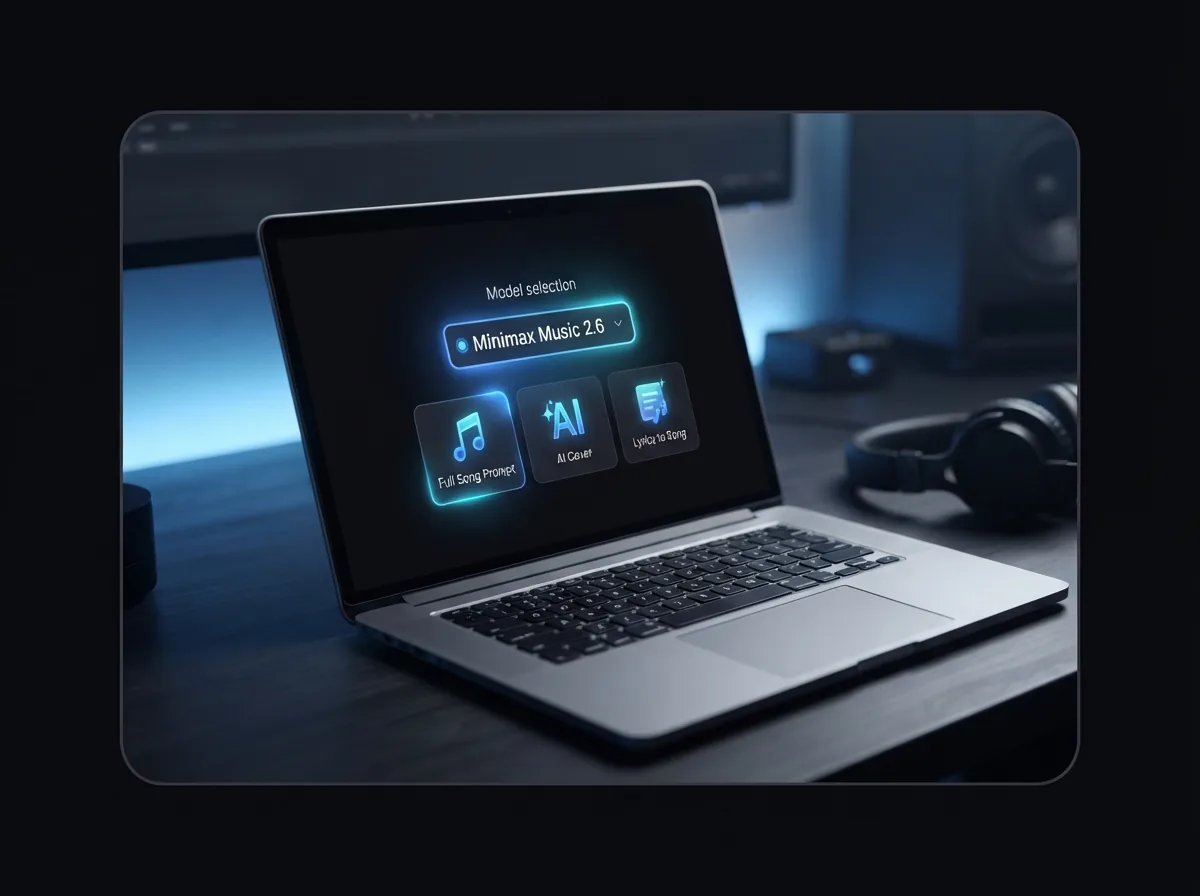
Open Minimax Music 2.6
Choose Minimax Music 2.6 in OnMusic AI, then decide what you want to create: a full song prompt, an AI cover, or a song built from lyrics. This step sets the model before you add your idea.
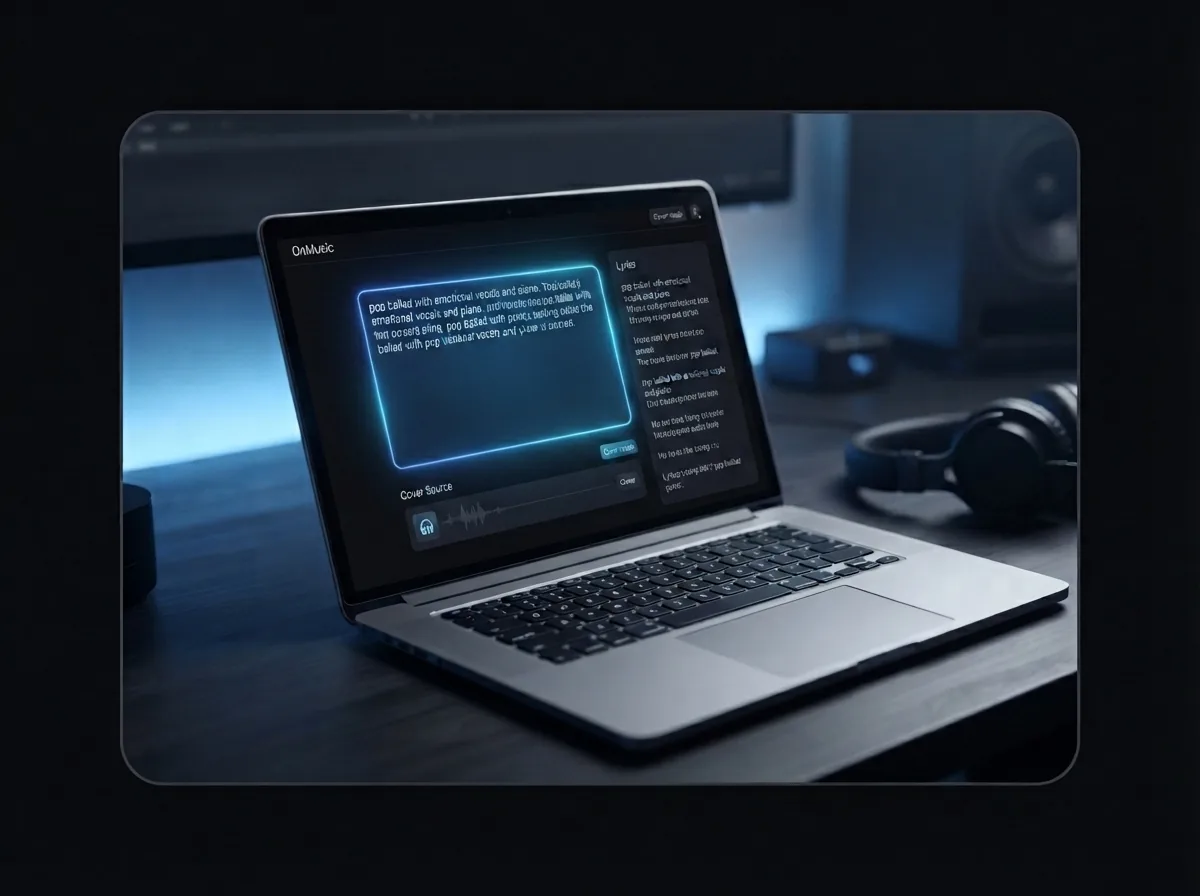
Add your prompt, lyrics, or cover source
Type the mood, genre, and vocal style you want, or paste your own lyrics if you already wrote them. If you want a cover, add the source input and let the model shape the new vocal performance.
Create, preview, and download your song
Run the model, listen to the result, and make a quick retry if you want a different style or vocal feel. When the version sounds right, download your song and share it or keep it for yourself.
Make a vocal-first song with AI cover options
Use MiniMax Music on OnMusic AI to create songs with strong vocals, auto-written lyrics, and multiple genre options in one flow.
Frequently asked questions
What does Minimax Music 2.6 do?
Who makes Minimax Music 2.6?
How does Minimax Music 2.6 work inside an AI music generator?
Can you use Minimax Music 2.6 for free?
How good are the vocals in Minimax Music 2.6?
Does Minimax Music 2.6 write lyrics automatically?
Does the MiniMax AI cover generator make cover-style songs?
What input can Minimax Music 2.6 use?
What genres can Minimax Music 2.6 create?
How long can Minimax Music 2.6 songs be?
What is a fair Minimax Music 2.6 review in plain terms?
Is MiniMax Music 2.6 worth trying?
Is AI-generated music legal?
Does Spotify ban AI music?
What is the 35 year rule for music?
Ready to make your next song? Start with stronger vocals
Create with Minimax Music 2.6 on OnMusic AI, switch models anytime, and begin with a simple prompt or your own lyrics.