Diss Track Generator
Turn friendly rivalries and witty punchlines into full rap music with vocal flow using OnMusic AI's free Diss Track generator.
Why playful battle tracks matter for modern creators
Writing sharp punchlines and finding the right tempo used to demand weeks of studio preparation. Using a Diss Track generator lets anyone turn lighthearted rivalries, gaming jokes, or friendly roasts into polished music instantly through OnMusic AI's free AI music generator.
Features
Produce original battle rap music with a Diss Track generator
Drop sharp roasts and set custom vocal energy while OnMusic AI's free AI music generator serves as your Diss Track generator for heavy beats and tight rhymes.
Transform specific target details into punchlines
The Diss Track generator converts personal anecdotes, friendly rivalries, and specific complaints into pointed rhyming bars. You enter details about your subject, and the system structures them into verse form with appropriate comedic timing and bite. This tool solves the challenge of turning raw irritation into catchy lyrical hooks without manual syllable balancing. You receive tailored battle rap verses that you can polish further with our rap lyrics generator.
Select hard-hitting vocal deliveries and flows
Using this Diss Track maker lets you choose between aggressive trap cadence, classic boom bap rhythms, or rapid underground deliveries. You adjust the vocal energy so the generated performance matches the seriousness or humor of your message. This feature ensures your lyrics hit with authentic cadence rather than robotic speech playback. OnMusic AI's free AI music generator pairs your lyrics with focused vocal synthesis ready for listening.
Build intense battle rap drum beats
Every effective Diss Track generator project requires heavy percussion and driving basslines that complement confrontation bars. You select distinct production aesthetics including gritty East Coast kicks, rolling 808 subs, or sharp modern drill patterns. This backing rhythm provides the sonic momentum needed to keep your rhymes memorable across verses and hooks. You obtain a full music mix that elevates your insults into a complete battle anthem.
Structure complex multi-syllabic rhyming schemes effortlessly
The Diss Track creator arranges your accusations into coherent four-bar rhyme schemes with varied internal rhyme patterns. You provide the central argument, and the algorithm identifies phonetically matched end rhymes to maintain poetic tension. This avoids tired couplets and gives your verses the sonic complexity found in professional battle competitions. You can also explore our rhyme lyrics generator to discover alternative word pairings for your final chorus.
Export finished battle songs as clean audio
The Diss Track generator completes the production cycle by rendering fully mixed vocal and instrumental audio into a downloadable MP3 file. You audition your finished song directly in the browser, revise any lines that need extra polish, and finalize your mix. This deliverable allows you to share friendly roast music with friends, online communities, or rival creators immediately. You can also switch to our AI freestyle generator to test quick counterarguments on the fly.
Use cases
Who makes diss tracks and what they create
Everyday creators, gaming streamers, and friends turn inside jokes into real rap music using a Diss Track generator without renting studio time or writing sheet music.
Streamers who make Diss Track generator music with AI for rival lobbies
Streamers use OnMusic AI to roast gaming rivals after squad matches with punchy boom-bap rhythm. Entering inside jokes into the Diss Track maker yields an exported MP3 ready to play on stream right away.
Friends settling fantasy league rivalries and birthday roasts
Fantasy sports competitors turn last-place finishes into humorous roast audio featuring custom names and stat blunders. You can make a Diss Track that turns friendly banter into full rap verses over modern trap beats without touching a digital audio workstation.
Creators building episodic rap battles for short-form video
Social media creators build fictional feuds and character clashes for TikTok and YouTube Shorts. The diss song generator workflow lets you specify fast flows, aggressive 808s, and custom rhyme schemes to produce shareable music clips on demand.
The basics
How AI turns roasts into full songs
Explore how an online Diss Track generator builds sharp rhymes, punchy beats, and custom rap music from simple notes about your target. Learn the core steps behind writing witty lyrics and exporting finished tracks quickly.
How does a Diss Track generator work?
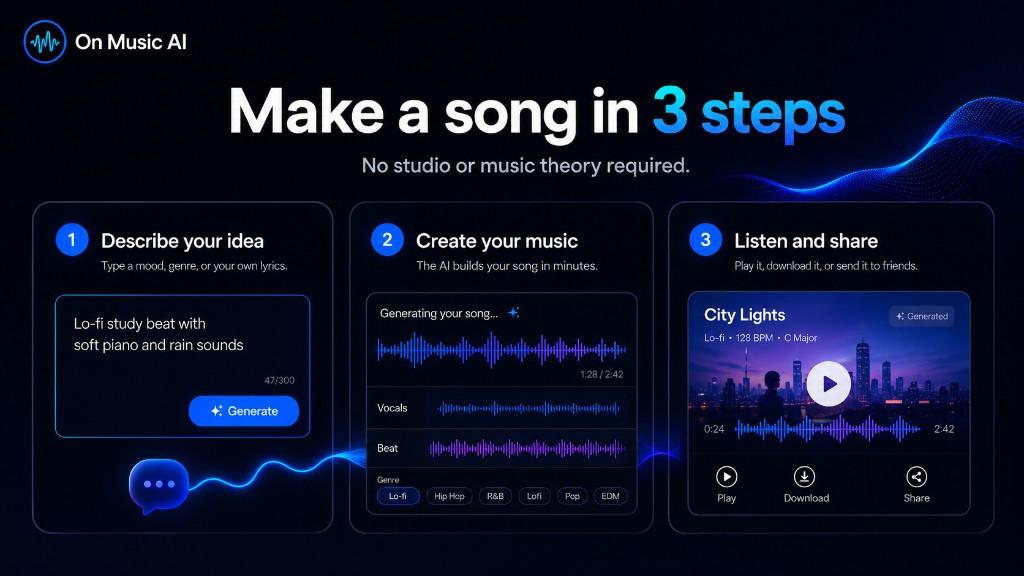
Finding a free Diss Track generator music AI tool lets anyone turn playful rivalries or friendly banter into full rap songs right on their phone. You start by typing specific details about your target, choosing an attitude, and picking a rhythmic groove. For example, enter 'bouncy East Coast boom bap about a roommate who never washes dishes', and the generator delivers a complete two-minute song with two rhyming verses, a catchy chorus, and synthesized rap vocals. The system pairs rhythmic cadences with energetic instrumentals automatically. Info: You do not need to know music theory to make great music. Just describe a mood, pick a genre, and create your first song in seconds.

What music styles fit a rap battle?
Using an AI Diss Track generator song maker allows you to explore multiple subgenres, from classic nineties boom bap to modern drill rhythms. You can experiment with heavy 808 sub-bass for aggressive deliveries, gritty lo-fi percussion for laid-back roasts, or uptempo trap patterns for quick bar trading. Switching beat styles transforms the energy of your vocal delivery, giving each lyrical jab a different impact. Pair your concepts with an AI lyrics generator whenever you want extra rhyming schemes or clever wordplay options. Want a different angle? Start from the lyrics with the rap lyrics generator, build a full track with the AI rap generator, or go darker with the phonk maker.
Can you make a diss track in any browser?
Accessing a Diss Track generator online means you can craft witty roasts straight from your phone or laptop without installing heavy recording software. The cloud interface processes vocal synthesis and beat matching remotely, so you never need a physical microphone, mixing board, or digital audio workstation. Because everything runs smoothly on modern mobile and desktop browsers, anyone can act as an inventive Diss Track maker during lunch breaks or casual hangouts with friends. You simply type your prompt, tap produce, and preview the resulting audio instantly. Tip: Start with a simple prompt that describes the mood and tempo. You can create a song in seconds, then adjust the lyrics to make it your own.
Who owns the rights to your rap battle audio?
Every track is an original composition, so you can share your finished song across social platforms, and commercial use is included on the Pro and Max plans. Once the audio completes rendering, you receive a clean standard MP3 file containing balanced vocals and crisp percussion. You can export the track directly to group chats, upload it to video edits, or study the timing of the bars. Having clear commercial terms gives you confidence to post parody battles on video channels without worrying about unexpected takedowns or licensing hurdles.
What makes a punchline land effectively?
Writing sharp comedic lines requires specific details rather than vague insults. Naming real habits, funny inside jokes, and exaggerated quirks turns generic teasing into memorable entertainment that listeners appreciate. When you make a Diss Track for a friend, balance humorous exaggerations with good-natured humor so the final song remains fun for everyone involved. Pairing tight multi-syllable rhymes with unexpected punchlines on the fourth beat consistently produces memorable rap moments that get people replaying the song. Tip: Add your favorite genre, tempo, or mood to the prompt to create a song that matches your style right away.

Diss Track generator questions, answered
What is a Diss Track generator?
How does this Diss Track generator turn text prompts into finished songs?
Can you use a diss track generator online for free?
Do I need to install a DAW to make a diss track?
Can the AI produce real rap vocal flows?
Can I use my diss tracks in videos and social posts?
How can creators make diss tracks for YouTube videos?
Is OnMusic AI good for beginners?
Can you make a Diss Track with your own custom lyrics?
What audio format can you export?
What production styles work best for making a diss song with AI?
How long does it take to create a complete diss track?
Are there content limits when using an AI Diss Track creator?
What tools can you use to make a rap battle track?
How can you get sharper punchlines from the prompt engine?
Can you separate the vocals and the beat after generation?
Explore more

Your first diss song is one prompt away
Type your favorite punchlines into OnMusic AI to turn your playful roast into a finished rap track with beat and vocals right now.